// Platform Overview
Everything Your Studio Needs. Built as One System.
Studio Sensei isn't a collection of disparate apps trying to talk to each other. Every module shares the same data and logic, managed by an AI that works for you.
Smart Scheduling
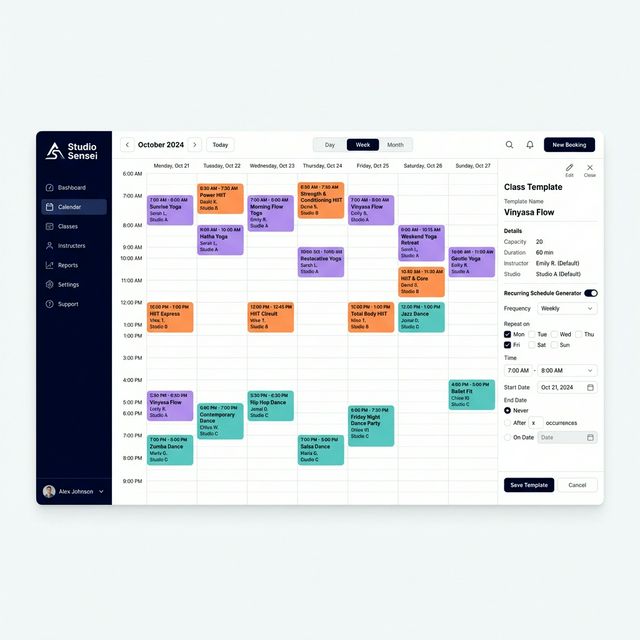
Studio Sensei brings structure to your calendar without the complexity. Build class templates that define your recurring offerings, attach them to schedules, and let the system generate individual sessions — all with conflict detection and multi-location support.
- Day, Week, and Month calendar views
- Class Templates → Schedules → Sessions hierarchy
- Drag-and-drop session management
- Multi-location calendar in one view
- Conflict detection with resolution suggestions
- Asset management for class materials and recordings
Bookings & Payments
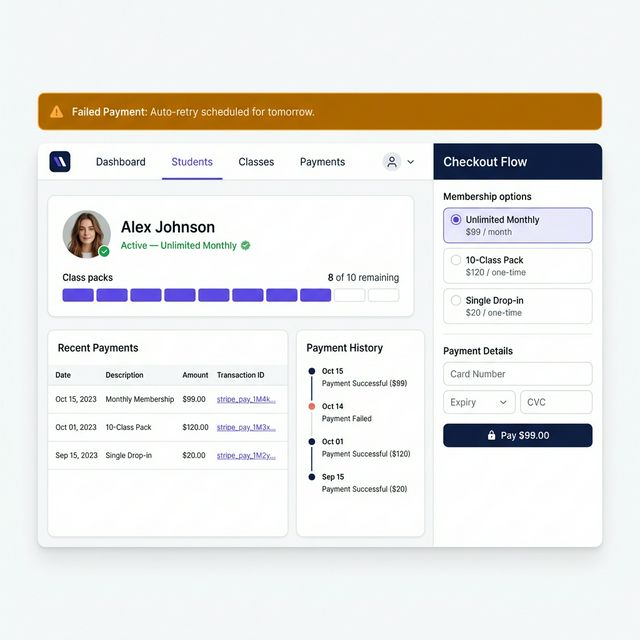
Give your students every way to pay — and give yourself full control over how entitlements work. From unlimited memberships to single-session drop-ins, Studio Sensei handles the billing logic so you don't have to.
- Memberships, class packs, drop-ins, and intro offers
- Stripe-powered checkout and recurring billing
- Waitlist management with automatic promotion
- Entitlement tracking per student per class type
- Gift cards and retail item management
- Failed payment retry sequences
AI Copilot
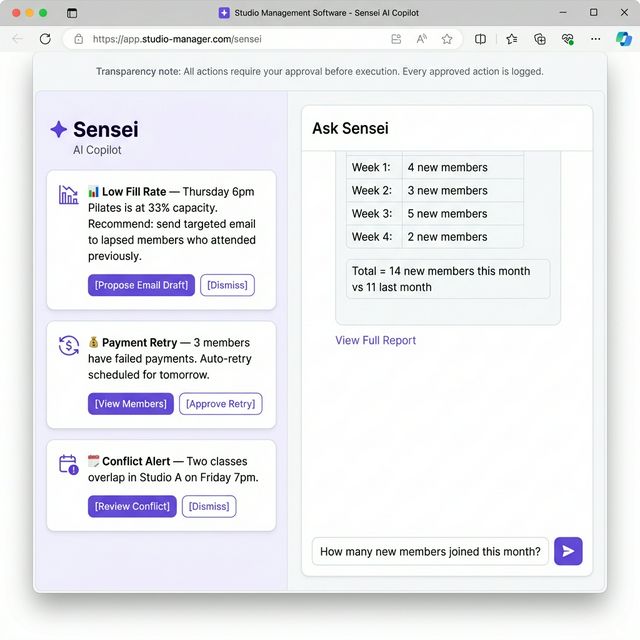
The Sensei AI copilot monitors your studio's operations and surfaces what needs attention. Every suggestion comes with reasoning. Every action requires your approval. Every outcome is logged. You stay in control.
- Morning Briefing — daily summary of what needs your attention
- Proactive suggestions with explicit Approve and Dismiss controls
- Reasoning transparency — Sensei explains why it's surfacing each issue
- Full audit trail — every approved action is logged with timestamp
- Natural language queries via 'Ask Sensei'
- AI panel available on desktop and mobile
Automation & Policies
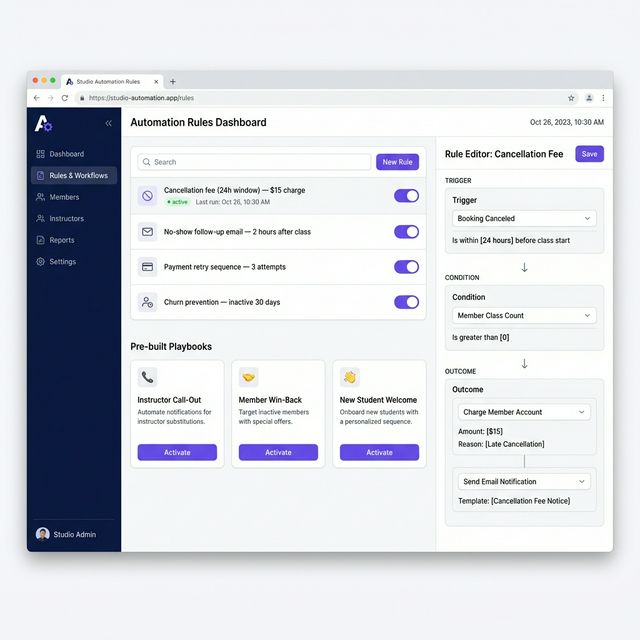
Stop chasing down policy enforcement manually. Set your rules once in the Studio Sensei rule engine and the system handles cancellation fees, payment retries, student follow-ups, and staff alerts — every time, without exception.
- Rule Engine: Trigger → Condition → Outcome logic builder
- Pre-built playbooks for common studio scenarios
- Cancellation and no-show fee enforcement
- Automated payment retry sequences
- Incident Commander for instructor call-outs
- Churn prevention flows and re-engagement triggers
Marketing Suite
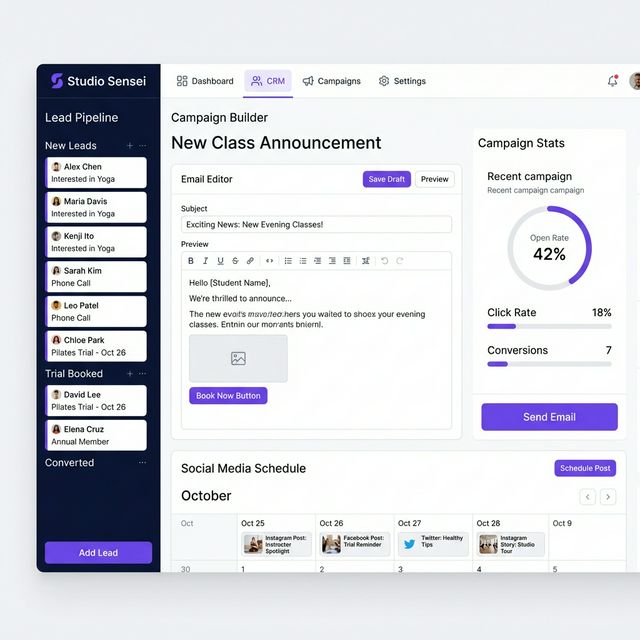
Run your studio's external presence from the same platform where you run your operations. Studio Sensei's marketing suite gives you a lead CRM, email and SMS campaigns, social content scheduling, and a public-facing website for your studio.
- Public website builder for your studio
- CRM with Kanban pipeline for lead management
- Email and SMS campaign builder
- Social content calendar and scheduling
- Marketing analytics and campaign performance
- Automation-driven campaigns from student behavior triggers
Guided Setup
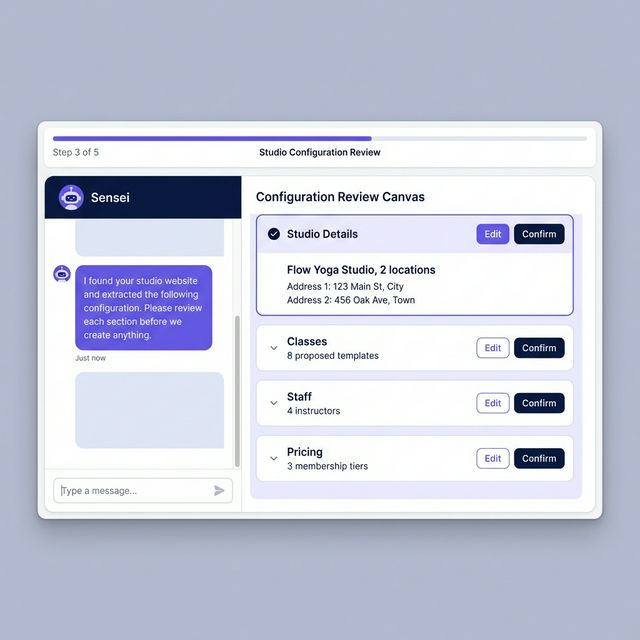
Getting started shouldn't take weeks. Share your existing studio website or upload documents about your offerings. Sensei reads them, proposes a studio configuration, and presents it for your review in a structured canvas. Nothing is created until you confirm.
- 3 setup paths: website URL, file upload, or manual chat
- AI reads your content and proposes a complete studio configuration
- Review canvas shows every proposed field before it's created
- Edit any part of the proposal before confirming
- Data validation before anything goes live
- Data import assistance for studios switching platforms (Planned)
See All Features in Action
Book a live demo and we'll walk you through the features most relevant to your studio.